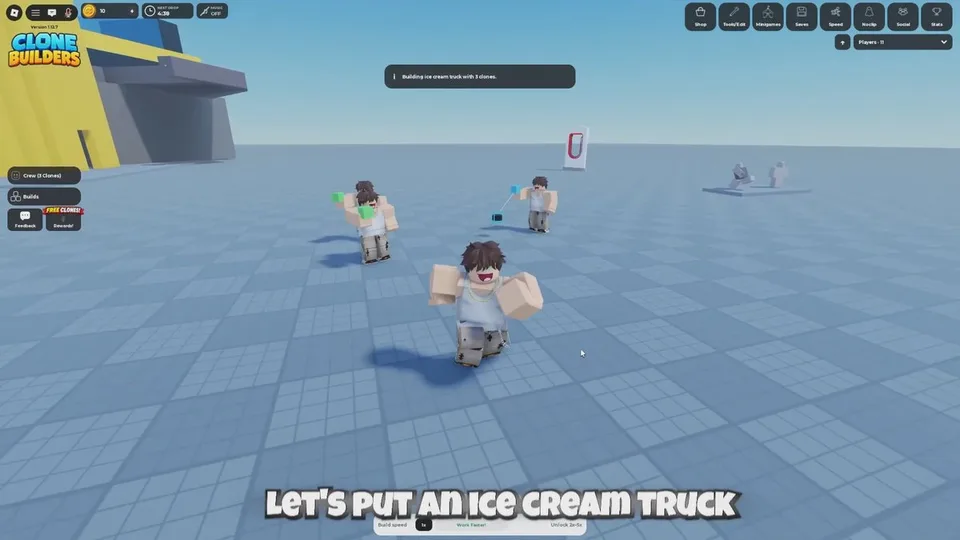
You do not place parts yourself. You give the clones one idea, pick where it should appear, and they assemble the model piece by piece.
Before you start
Join a server from the official Roblox page. Servers hold 15 players, so other people's creations already occupy the baseplate. For a first project, stay in a public server and pick a small subject. Save large arenas and minigames for a private server.
The client version cited in a September 29, 2026 play guide is 1.12.7. Labels below match that guide and late-September walkthroughs. If a button has moved, follow the job of the control rather than an old name.
Start the job
- Open the build bar at the bottom of the screen. It is labeled What should we build?
- Type one object into Type here what to build. A plain noun such as
shiporice cream truckis the reliable first test. - Choose a Location: Choose spot, At my feet, or Random. Details are in the placement guide.
- Leave the crew at the default of 3 clones unless you already know you want more. Minus and plus change the count. More Clones is the control for extra capacity; its cost is not published.
- Press Build +.
The status changes to Planning… while the game looks for a level spot and lays a foundation. Clones then spawn, move to a work position, and carry pieces over. Stay nearby for the first job so you can see whether the prompt is still processing or whether it produced a small result.
Read progress
Open the crew window. Each worker has a line such as CLONE 1: BUILDING, next to a live counter that pairs a percentage with pieces placed over the model's total. One documented build started at 0% – 0/176 pieces. 176 is that model's total, not a number every build uses.
When the model finishes, a banner at the top of the screen names the creation. One documented example reads Small Thomas the tank engine complete! Walk the result and check size, entrances, and whether you can actually use it. That completed model is what the Finished a build! badge tracks. See when a build counts as done.
If it looks stuck
- A small shape can be a finished compact model, not a failed one.
- A second order while this crew is busy does not start immediately. The documented message is: Your clones are occupied. Let them complete the current task, or unlock Queue labs to place an additional build in line. See crew and queue.
- Brand names can fail before any clone moves. See prompts.
- Do not stand in the work zone. If your character is stuck, jump and walk clear before you queue another job.